When users land on a 404 page (Page Not Found), it’s easy for them to feel frustrated and leave your site. For some sites, their 404 page will look like this:
“404 | This page could not be found”
Doesn’t that look boring? While a 404 error simply means that the server cannot locate the requested page, for users, it’s a moment of friction. It’s a potential break in trust. However, with the right approach, a 404 page can transform from a dead end into a chance to re-engage, redirect, and even delight your audience.
Here are practical tips to keep users on your site even when they hit a 404 error:
1. Clear, Friendly Language
A cold “404 Not Found” tells the user nothing. Try something human:
- “Oops! We couldn’t find that page.”
- “Well, this is awkward… looks like that link didn’t work out.”
A bit of humor or empathy goes a long way toward keeping visitors engaged.
2. Stay On Brand
Your visual design shouldn’t fall apart just because the user has encountered an error. In fact, this is a moment to reinforce your brand and ensure the 404 page feels like it belongs to the rest of your site. Consistency in colors, fonts, and tone helps maintain a sense of familiarity. Take a look at this example, and how LEGO keeps to its unique toy bricks theme with “Oh Bricks!”:

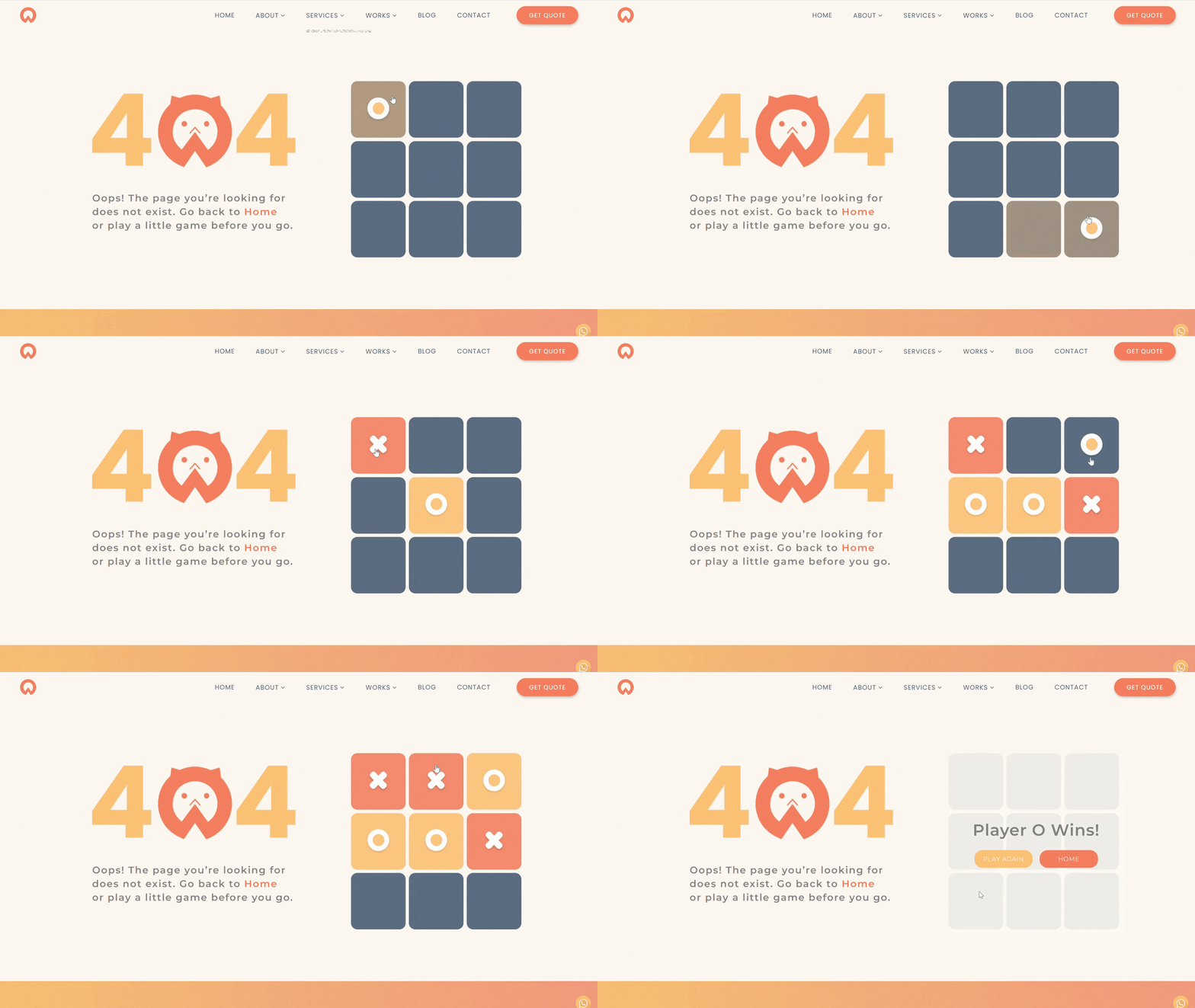
At Oangle, we’ve created a unique interactive feature for our 404 page—a tic-tac-toe game! It’s a creative and fun way to keep users engaged while they figure out their next move. Even something small, like a quirky illustration or a custom message, can make a big difference.
3. Obvious Next Steps
Your user is stranded in the middle of nowhere, help them out by guiding them:
- Add a search bar
- Include a link back to the homepage
- Show a menu or popular links
- Highlight featured content or new posts
Take a look at this example, and how Airbnb provides you alternative options to continue exploring!

4. Encourage Contact or Feedback
Broken links are part of life online. Instead of treating them as dead ends, use them as opportunities to connect with your users and learn from them.
Prompt idea:
“Think something’s off? Let us know. Your feedback helps us improve.”
You can include:
- A contact form
- A quick email link
- A simple feedback button
Don’t Let Dead Ends Kill the Journey
Every website has errors. But what separates a good site from a great one is how one handles them.